Lock it down: Protecting your VA health data

Tips for keeping your health information secure
Accessing your health data online has never been easier—and it’s never been more important.
VA builds its digital health tools, including My HealtheVet on VA.gov, VA Video Connect and other telehealth services, with privacy and security in mind. Still, you play a key role in protecting your own health information every time you sign in. Follow the three tips below to help keep your information safe.
Use a secure account
VA offers two secure options to sign in to VA.gov and VA mobile apps: a Login.gov account or an ID.me account.
These sign-in options meet the highest security standards and help safeguard your benefits, health information and personal data. Both Login.gov and ID.me require multifactor authentication—a security step that verifies your identity through a second method, such as a text message or app notification. This extra layer of protection helps ensure that only you can access your account, even if someone else gets hold of your password.
You can no longer use older credentials, like a My HealtheVet username and password or a DS Logon. So, if you want to be able to sign in to VA websites and apps, now is the time to create a Login.gov or ID.me account.
Learn more about creating an account for VA.gov.
Exercise caution on public devices and networks
Try to avoid using public Wi-Fi for managing your VA health information or participating in a VA Video Connect appointment. Using your mobile hotspot or a private, secure connection is safer and reduces the risk of someone intercepting your data.
If you need to sign in to your VA account from a public or shared computer, be sure to fully sign out and close your browser when you’re done. Never save your password on a shared device.
Learn more about the resources VA offers if you don’t have reliable internet.
Keep your devices updated
Your smartphone, tablet and computer also play a role in protecting your health information. Keeping the software and apps on your devices up to date helps protect against cybersecurity threats. System updates include more than new and improved features; often, they also include security updates.
For Veterans who use telehealth, these software and system updates are especially crucial to ensure the best experience and keep your data secure.
When you take simple steps to protect your online information, you help keep your health records, telehealth appointments and messages secure. VA is here to support you if you ever have trouble signing in or need help staying safe online.
If you have questions, trouble signing in, or need help staying safe online, call the My HealtheVet Help Desk at 877-327-0022, Monday through Friday, 8 a.m. to 8 p.m. ET.
Related Health stories
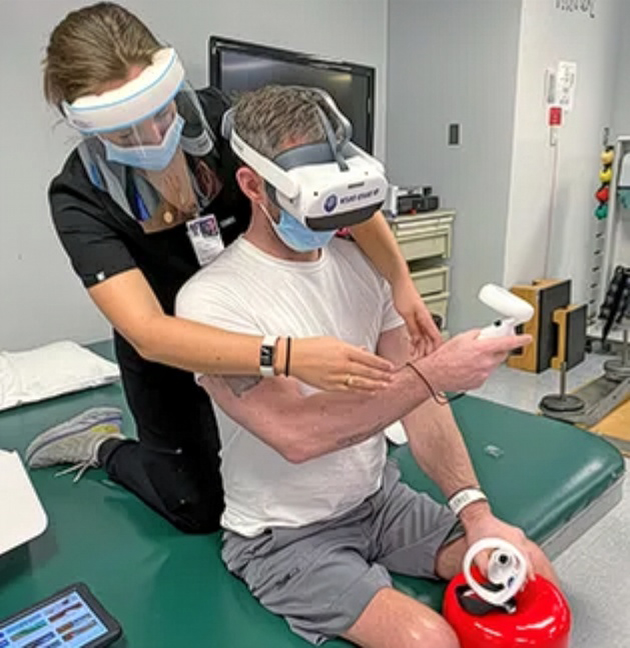
Virtual reality pain treatment expands for veterans
The Department of Veterans Affairs is expanding access to a U.S. Food and Drug Administration-authorized virtual reality (VR) therapy design

Live Whole Health #320: You deserve a break
Do you spend hours jumping between screens, messages and tasks during the day? Over time, this can make your mind tired and your body stiff.

First in VA to receive cutting-edge epilepsy treatment
A groundbreaking laser procedure offers a safer option for epilepsy treatment Back in 1980, when Robert Lindemann decided to enlist in the A